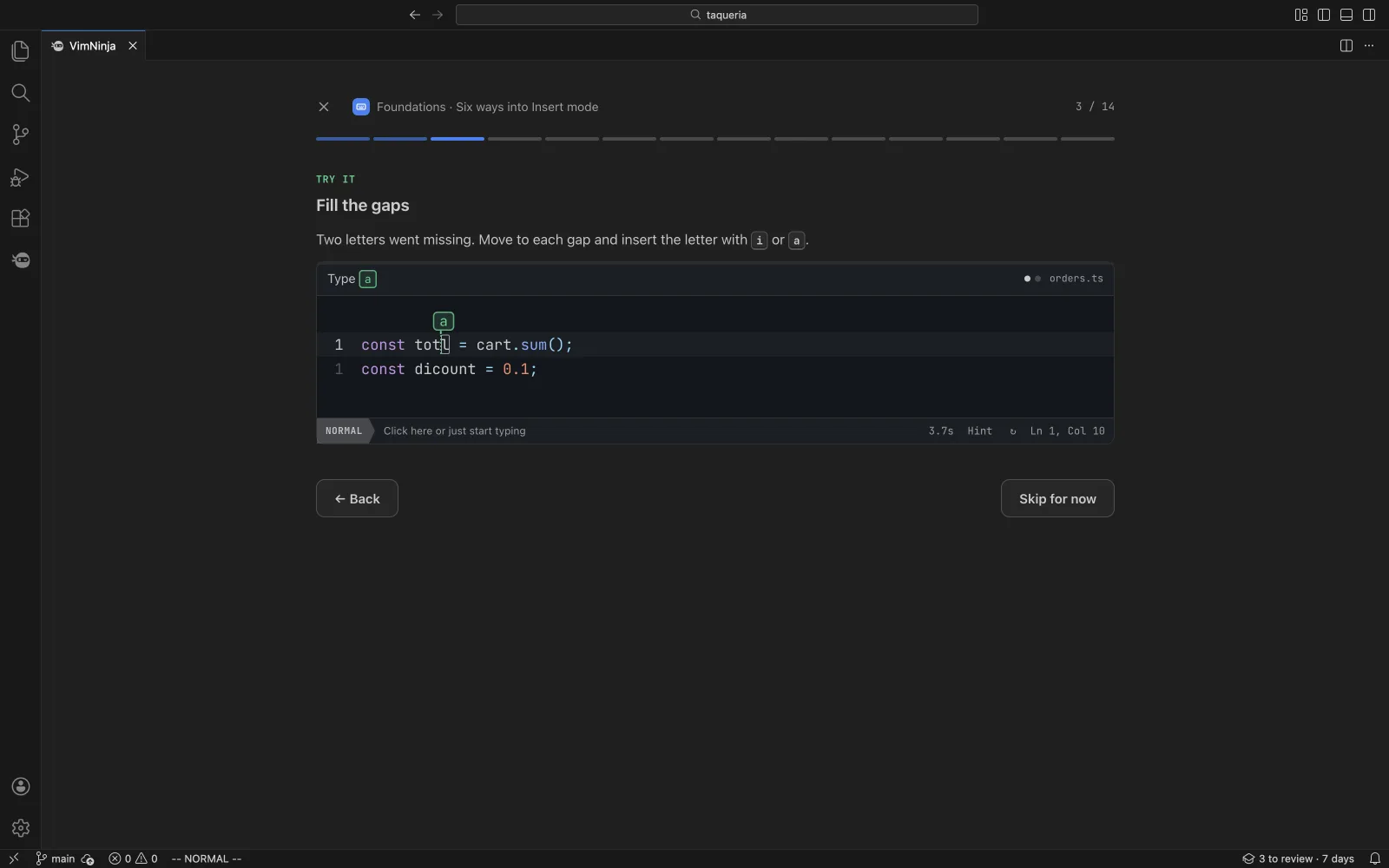
Lessons beside your code
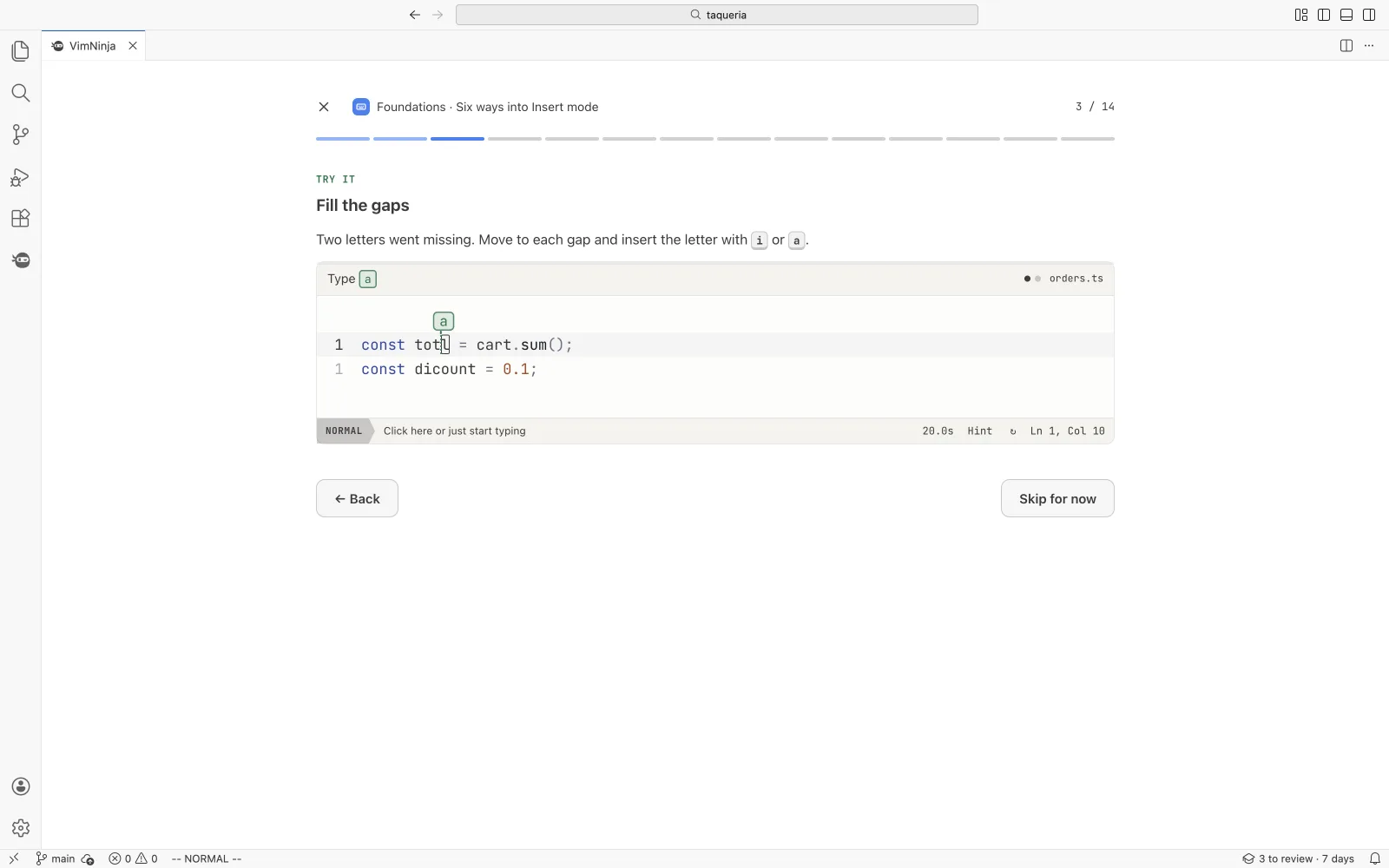
82 short lessons, from your first keystroke to macros. Where VS Code’s Vim works differently, the lesson says so.
VimNinja for VS CodeFree
82 short lessons, a two-minute daily review and Vim golf in a tab beside your code. Practice on a copy of your own file. And, when you turn it on, a coach that spots slow habits as you edit with VSCodeVim or VSCode Neovim.
Free, from the Visual Studio Marketplace, for VS Code 1.90 or later. Cursor, Windsurf and VSCodium: on Open VSX next. Already learning here? Connect it and your progress comes with you.
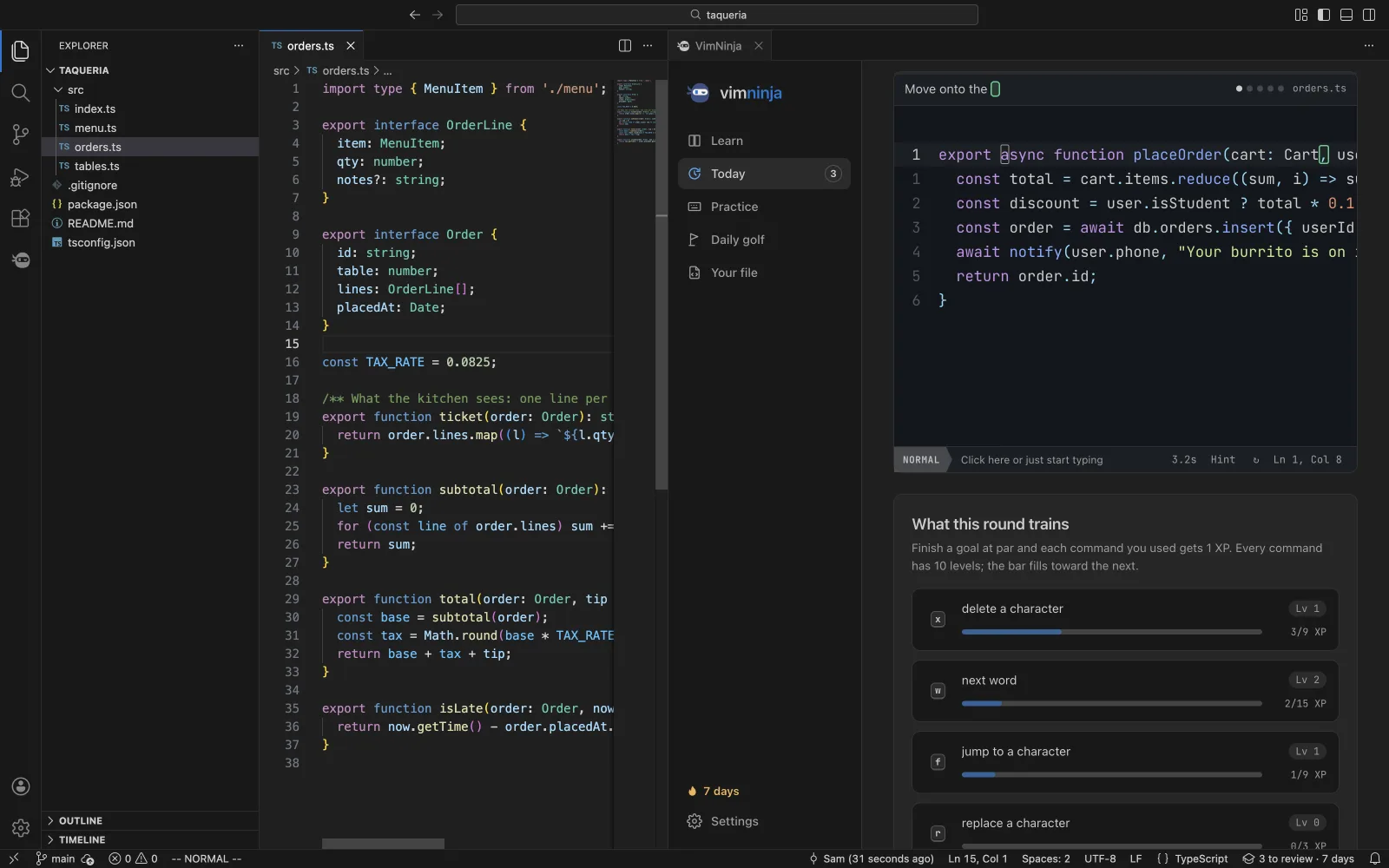
Both are off until you turn them on. Crawl with j or delete letter by letter, pause, and the tip shows in the status bar. Rest the cursor and small letters mark where w b e ^ $ would take you. This is the extension’s own code, on a real Vim engine.
Rest the cursor in Normal mode: a letter marks where w b e ^ $ would go, and { } the paragraph’s edges. Nothing in the line moves.
In VS Code a tip comes at most every 10 minutes, each one at most once a day. Here, every time, so you can see them.
Real captures of the extension in VS Code.
82 short lessons, from your first keystroke to macros. Where VS Code’s Vim works differently, the lesson says so.
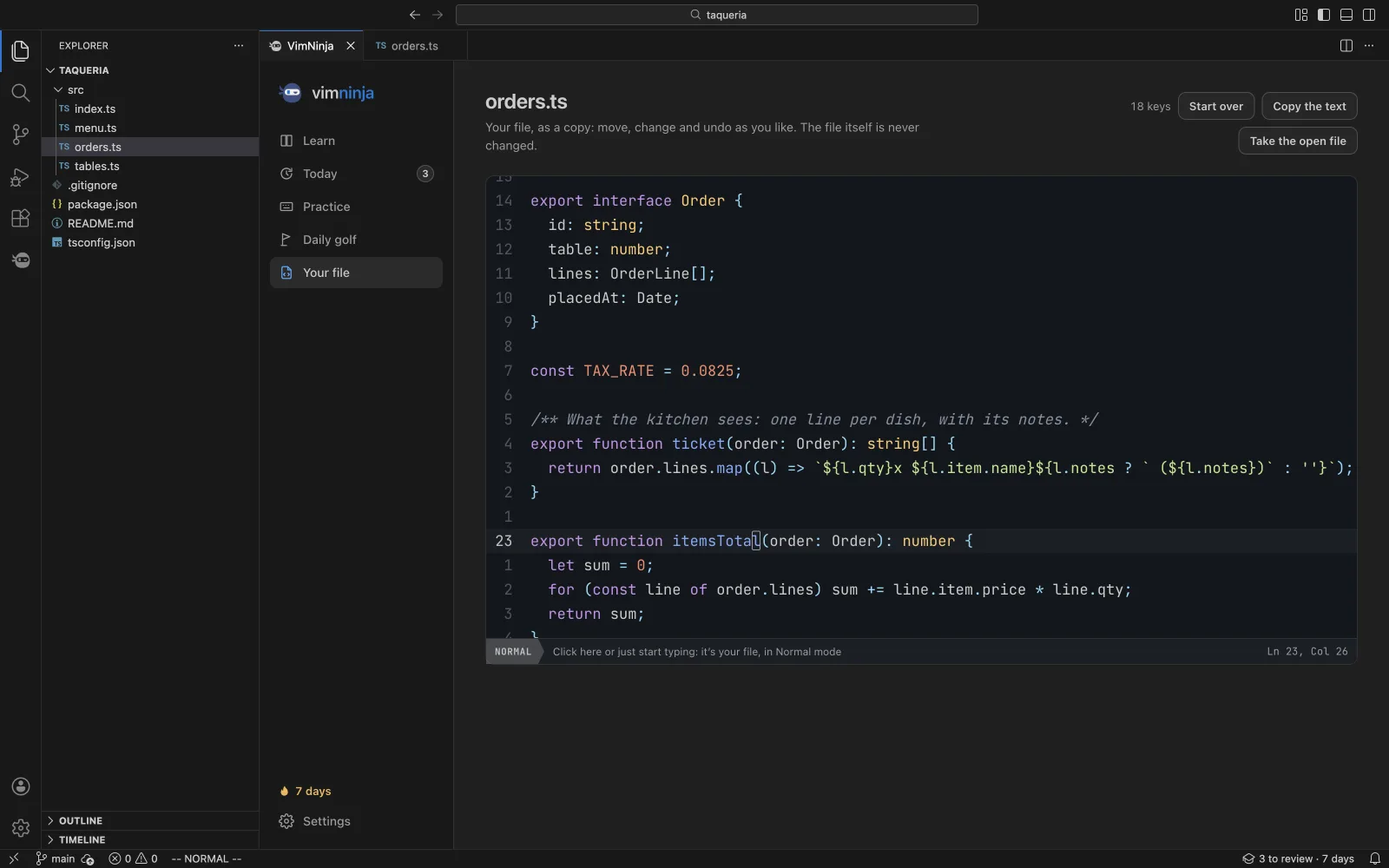
Practise Vim on This File opens the file you’re in as a copy, every key read back. Change it, undo it, try again. Your file never changes.
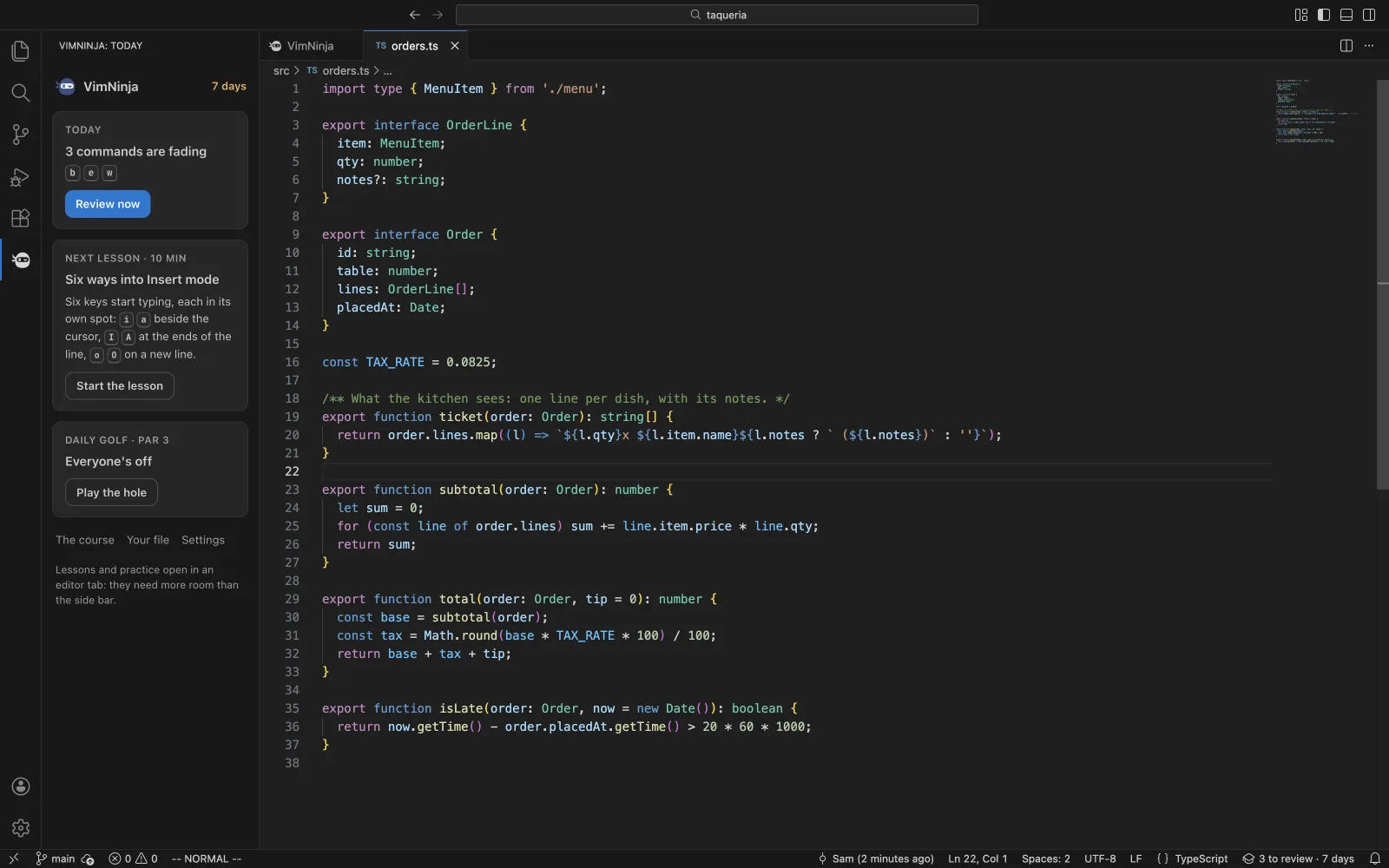
Each command comes back just as you’d start to forget it. The status bar counts what’s due; the side bar shows today at a glance.
Your colours and font, light or dark.
Settings › Vim in VS Code knows which Vim you have and offers the settings worth having. Each shows the line it writes before you press it, and Undo puts the old value back.
// what VimNinja writes, one line per fix
"vim.useSystemClipboard": true
"editor.lineNumbers": "relative"
"vim.insertModeKeyBindings": [ …yours, { "before": ["j", "k"], "after": ["<Esc>"] } ]
"extensions.experimental.affinity": { …yours, "vscodevim.vim": 1 }
// in Terminal, on a Mac (then restart VS Code)
defaults write com.microsoft.VSCode ApplePressAndHoldEnabled -bool false
// what VimNinja writes, one line per fix
"editor.lineNumbers": "relative"
"extensions.experimental.affinity": { …yours, "asvetliakov.vscode-neovim": 1 }
// in Terminal, on a Mac (then restart VS Code)
defaults write com.microsoft.VSCode ApplePressAndHoldEnabled -bool false
Nothing changes until you press a button.
Every part of it is in the command palette, ready for a keybinding of your own. Type to look.
One extension for VS Code and the editors built on it, with whichever Vim you use.
With VS Code’s AI chat, VimNinja can also offer its Vim Tutor: it runs Vim keys on your text in a real engine and answers Vim how-tos. Off until you turn it on.
Connect the extension to your vimninja.com account and they become one: your results and reviews sync both ways, and Pro opens in VS Code too. It’s optional, and until you connect, nothing leaves VS Code.
Connected, it sends your practice to your account (your results, your reviews, the exercises you finish) and nothing else from VS Code: never a file, never a file’s name. The privacy policy
Something else? Ask us. We read everything.
In VS Code, open Extensions (Ctrl+Shift+X, or Cmd+Shift+X on a Mac), search for VimNinja and press Install, or install it from the Visual Studio Marketplace. Cursor, Windsurf and VSCodium install from Open VSX, where it goes next. Already learning on vimninja.com? Connect the extension and everything you’ve done comes with you.
Yes. The extension is free, with the free lessons, the daily review, practice drills and golf. Pro, on vimninja.com, opens every lesson’s exercises and every drill, there and in VS Code once your account is connected.
Not to learn: the lessons run in VimNinja’s own Vim, inside the tab. To use what you learn in your files, yes, and Settings › Vim in VS Code says which you have and what’s worth setting.
No. Your file is practised as a copy; the file itself is never touched. A setting changes only when you press its button in the Vim doctor, after reading the line it writes, and Undo puts the old value back.
The coach and the motion hints are off until you turn them on. On, a tip comes at most every ten minutes, each at most once a day, and “got it” means never again.
Yes. VimNinja’s tab takes your theme’s colours and font, light or dark. The code editor in it keeps the course’s own colours, as a code block does.
No. The coach keeps only how often each habit was seen. Until you connect an account, the extension makes no network request; connected, it sends your practice to your account, never a file. The Vim Tutor in AI chat is off until you turn it on, and says what it sends when you do.
There’s VimNinja for Neovim, coming at the same time: the same coach and practice, in plain Lua.
Free. VS Code 1.90 or later; Cursor, Windsurf and VSCodium from Open VSX next.