VimNinja for NeovimComing soon
Get faster in your own Neovim.
A coach that notices when you crawl with j j j and tells you the faster way, once. A two-minute daily review, 13 free lessons and Vim golf, played in a tab of your Neovim with your own keys and config.
Plain Lua, open source (MIT). It watches with vim.on_key and never maps a key. Start the course now; connect the plugin when it’s out and your progress comes with you.
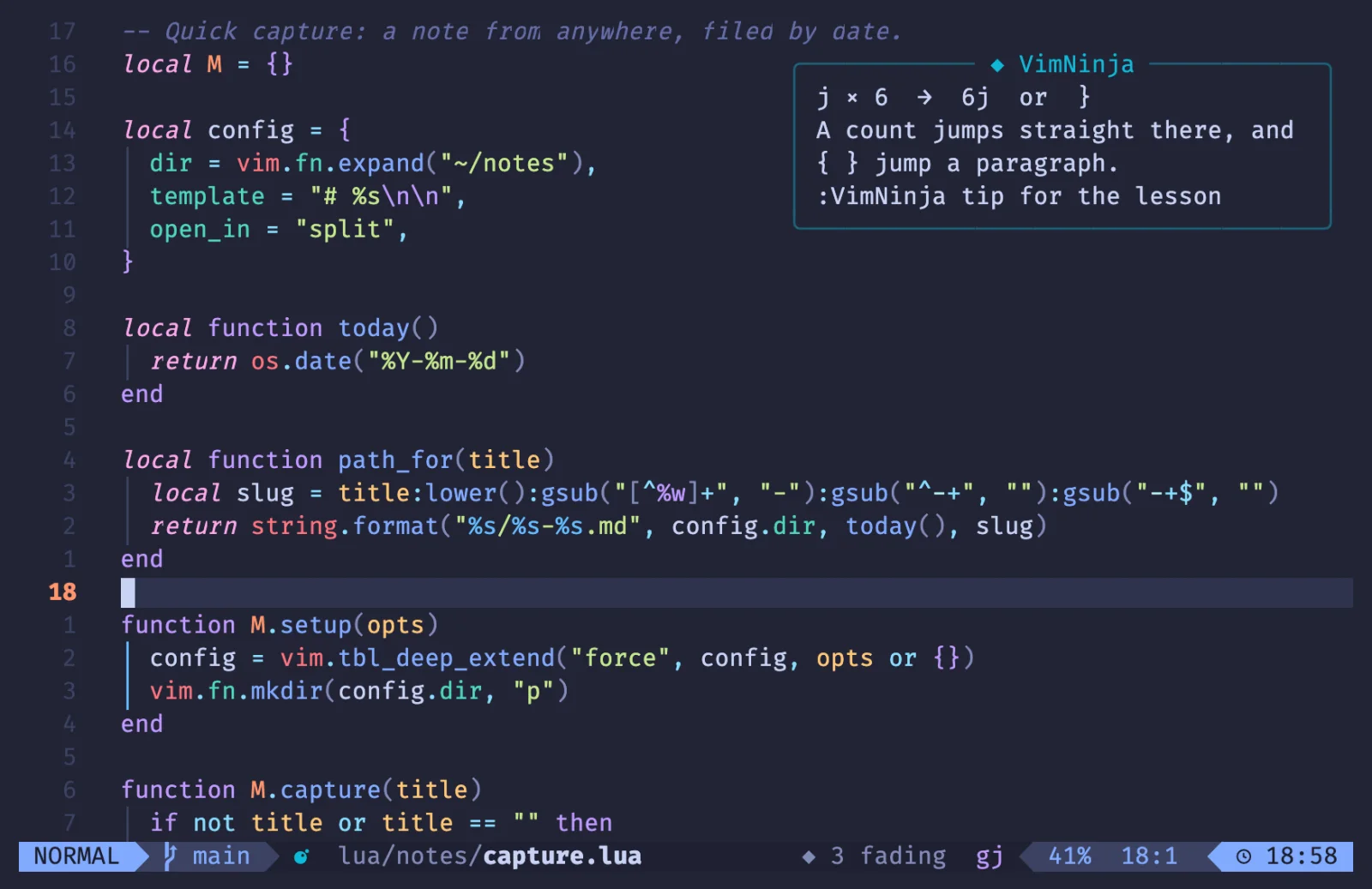
A coach that watches. It never maps a key.
Edit as you always do. When you pause after something slow, VimNinja says the faster way, in the corner, and gets out of the way. Try it: these are the plugin’s own tips, on a real Vim engine.
Your keys run in a real Vim engine. When you pause, the coach looks at what you just did.
In your Neovim a tip comes at most every 10 minutes, each one at most once a day, and “got it” means never again. Here, every time, so you can see them.
Practise in a tab of your Neovim.
:VimNinja today opens today’s review in a tab of its own: real code, a spot to reach or a target beside you in diff mode, and your keys against par in the winbar. Your keys, your mappings, your plugins. Play this round:
Reach the highlighted spot. Par is the fewest keys the course found.
Everything is :VimNinja away.
Each panel, as the plugin draws it in LazyVim. Type to narrow the list.
:VimNinjaHome: today’s review, the last tip, your week, your next lesson.:VimNinja todayToday’s review: five goals on what’s fading, in a tab of its own.:VimNinja learnThe free lessons, eight goals at a time, picking up where you left off.:VimNinja practicePick a drill: counts, words, line ends, find, dot and more.:VimNinja golfToday’s hole in the fewest keys. Your score stays on your computer.:VimNinja keysThe Vim keys your config gave another job, and a round on the new ones.:VimNinja habitsWhat the coach spotted this week, with the faster way.:VimNinja tipThe last tip again: why, its free lesson, add it to your review.:checkhealth vimninjaEverything checked: Neovim, the coach, the lessons, what’s stored.
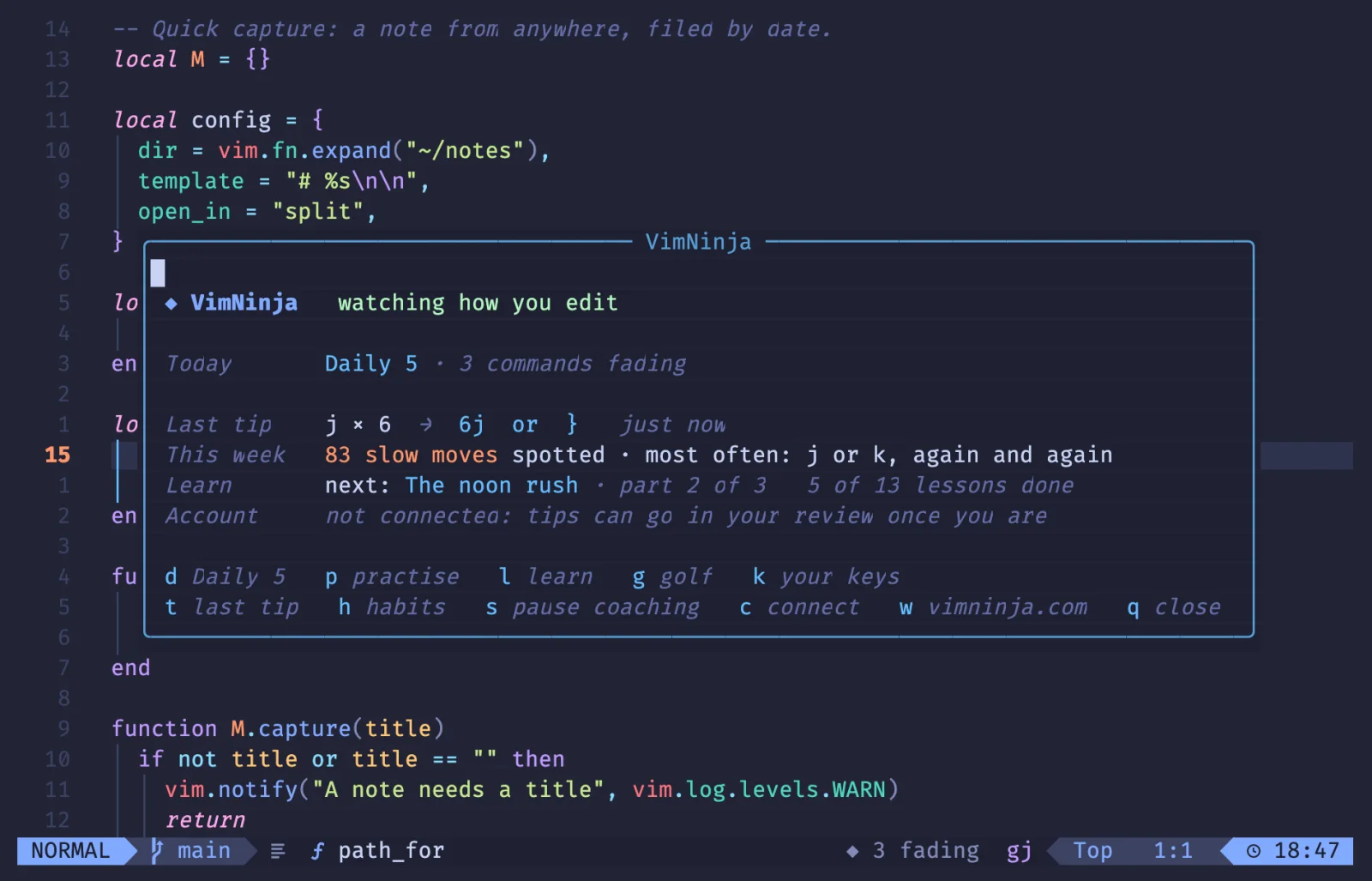
:VimNinja Home: today’s review, the last tip, your week, your next lesson. In a round: :VimNinja skip , :VimNinja stop The coach: :VimNinja pause , :VimNinja resume Your account: :VimNinja connect , :VimNinja disconnect
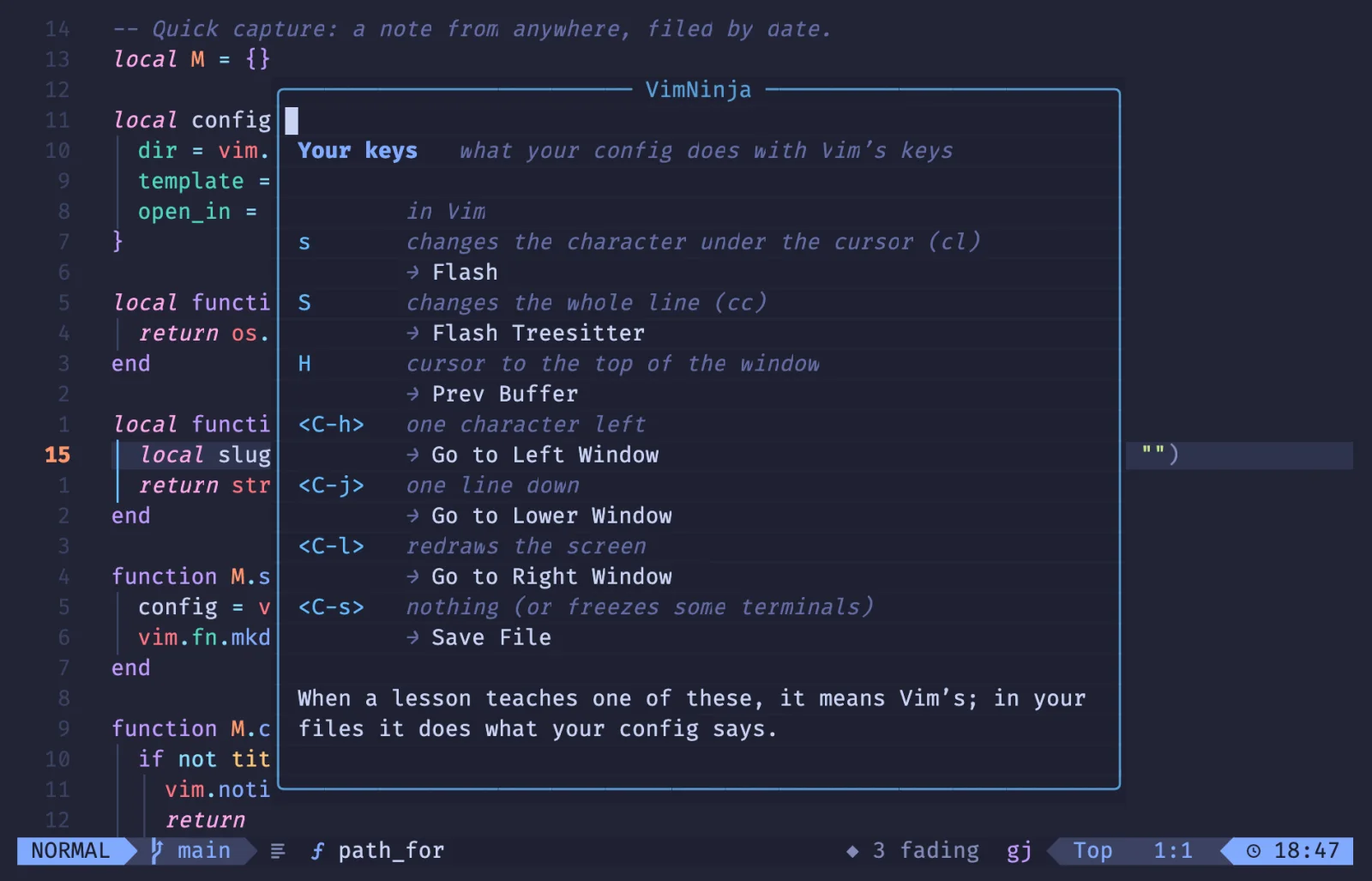
It knows your config.
LazyVim gives s to flash, H to the buffer list and Ctrl-h to window moves. :VimNinja keys lists each key your config gave another job, with what it does in plain Vim, and plays a round on the new ones.
And the coach never suggests a key you’ve given away: in LazyVim, it won’t tell you to try s.
Nothing to set up. Three things you can.
It works with no options at all. These are the ones people change.
- How a tip shows
-- with lazy.nvim, these go in the plugin's opts
require("vimninja").setup({
  coach = true,
  remind = false,
  ui = "auto",
})

-- what's due, in your statusline (lualine)
lualine_x = { function() return require("vimninja").today() end }
The defaults: nothing to write.
Made for configs like yours
Checked in LazyVim, with the plugins people run.
- LazyVim A tip comes through your notifier, like any other message. A tip that suggests a key your config uses for something else isn’t shown.
- flash.nvim It knows
sandSjump in your config, so it never suggestscl → s.:VimNinja keysgives you a round on flash’s jump instead. - hardtime.nvim Where hardtime already hints at a habit, VimNinja leaves the hint to hardtime and only counts it.
- which-key.nvim Keys which-key reads and plays back count once:
di[is three keys however long you pause after thed. - Your statusline
require("vimninja").today()says what’s due (◆ 3 fading), and nothing once today’s review is done. - VSCode Neovim Inside VS Code the coach still runs in your Neovim, and its tips go to VS Code’s status bar.
One course, in your browser and your editor.
The plugin works on its own, offline. Connect it to your vimninja.com account and a tip’s command can go into your daily review, and the rounds you play in Neovim count there too. Until you connect, it makes no network request.
- Start here, now. 82 lessons, the daily review and golf, free in your browser.
- Add the plugin when it’s out. One line in your plugin manager.
- Connect, once.
:VimNinja connectshows a short code you approve here.
What you type stays yours.
- Never maps a key
- What you type is never written down
- No network request until you connect
- No telemetry, no ads
- Stores counts, not text:
~/.local/state/nvim/vimninja
Connected, it sends your review’s cards (the commands you practised and how each went) and nothing else: never a file, never a file’s name. The privacy policy
Questions
Something else? Ask us. We read everything.
When is it out?
Soon. It’s built and tested, in plain Neovim and in LazyVim. Start the course here now: when the plugin is out, connect it to your account and everything you’ve done comes with you.
Is it free?
Yes. The plugin is free and its code is open source (MIT), with the free lessons, the daily review, the drills and golf, all inside it. Pro, on vimninja.com, opens every lesson’s exercises.
Will it change my keys or my config?
No. It watches with vim.on_key only and never maps a key. Practice happens in a tab of its own; your files are never touched. Your config is what you practise with.
Will it nag me?
No. A tip at most every ten minutes, each tip at most once a day, and “got it” means never again. :VimNinja pause stops the coach until the next start, and any habit can be turned off.
Does it send what I type anywhere?
No. What you type stays in memory for a few seconds and is never written down. Until you connect an account it makes no network request at all; connected, it sends only your review’s cards. Never a file, never a file’s name.
Which Neovim?
Neovim 0.10 or newer, with any plugin manager or none. It’s plain Lua with no dependencies; connecting an account uses curl.
Does it work offline?
Yes. The lessons, drills and golf holes ship with the plugin, each checked in Neovim. Only connecting an account needs the internet.
I use VS Code with Vim keys.
There’s VimNinja for VS Code too, coming at the same time. With VSCode Neovim, this plugin’s coach runs inside it.
Start learning now.
Bring it into Neovim when it lands.
The plugin will be free. Neovim 0.10 or later, any plugin manager.