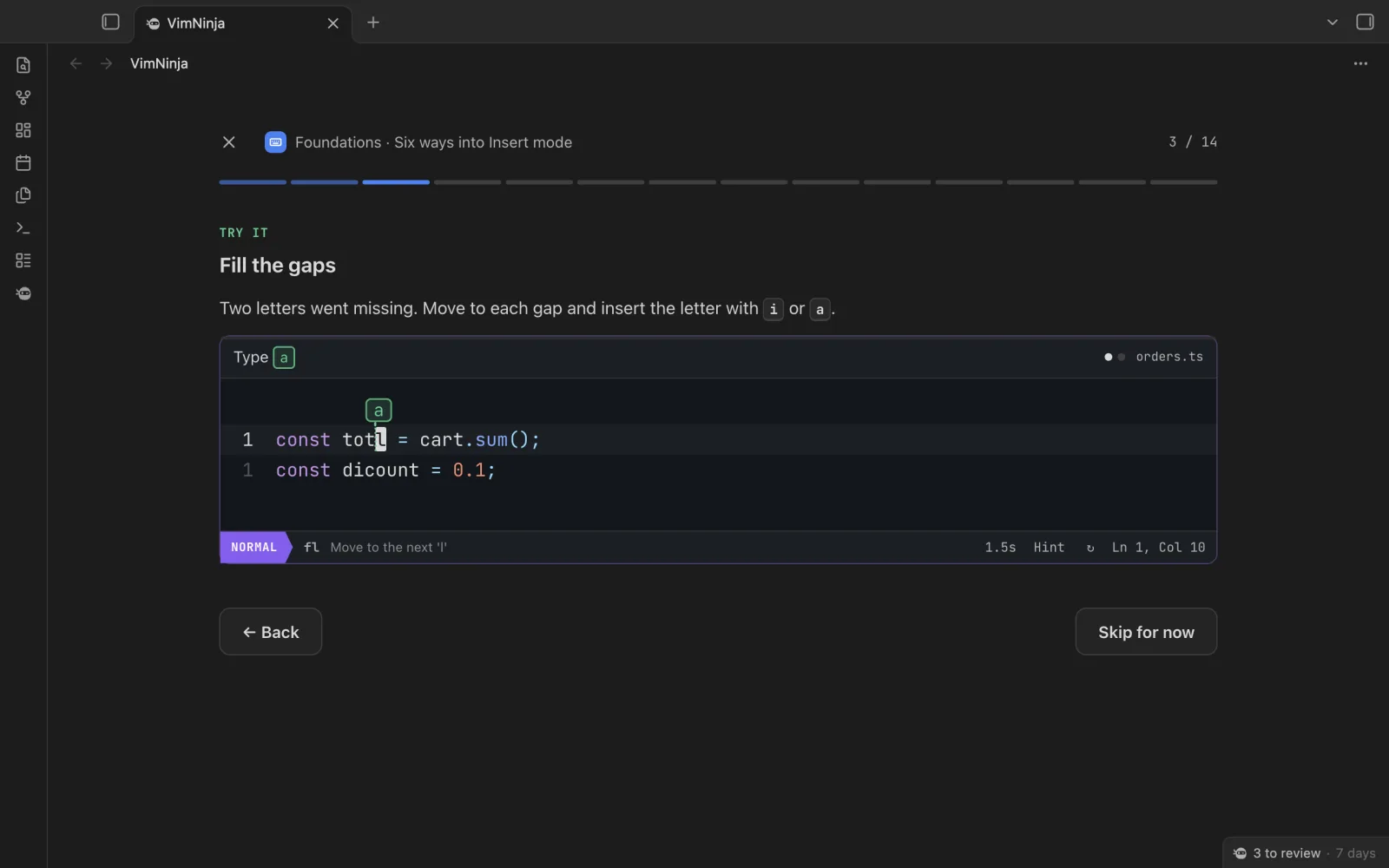
A course in a tab
82 short lessons, from your first keystroke to macros, a few minutes each. Where Obsidian’s Vim works differently, the lesson says so.
VimNinja for ObsidianComing soon
You turned on Vim key bindings, and now i types and Esc stops. VimNinja is the rest, inside Obsidian: 82 short lessons, a two-minute daily review, Vim golf, and practice on a copy of your own notes, in a tab that looks like the rest of your vault.
Coming to Obsidian’s community plugins. Start the course now, connect the plugin when it’s out, and everything you’ve done comes with you.
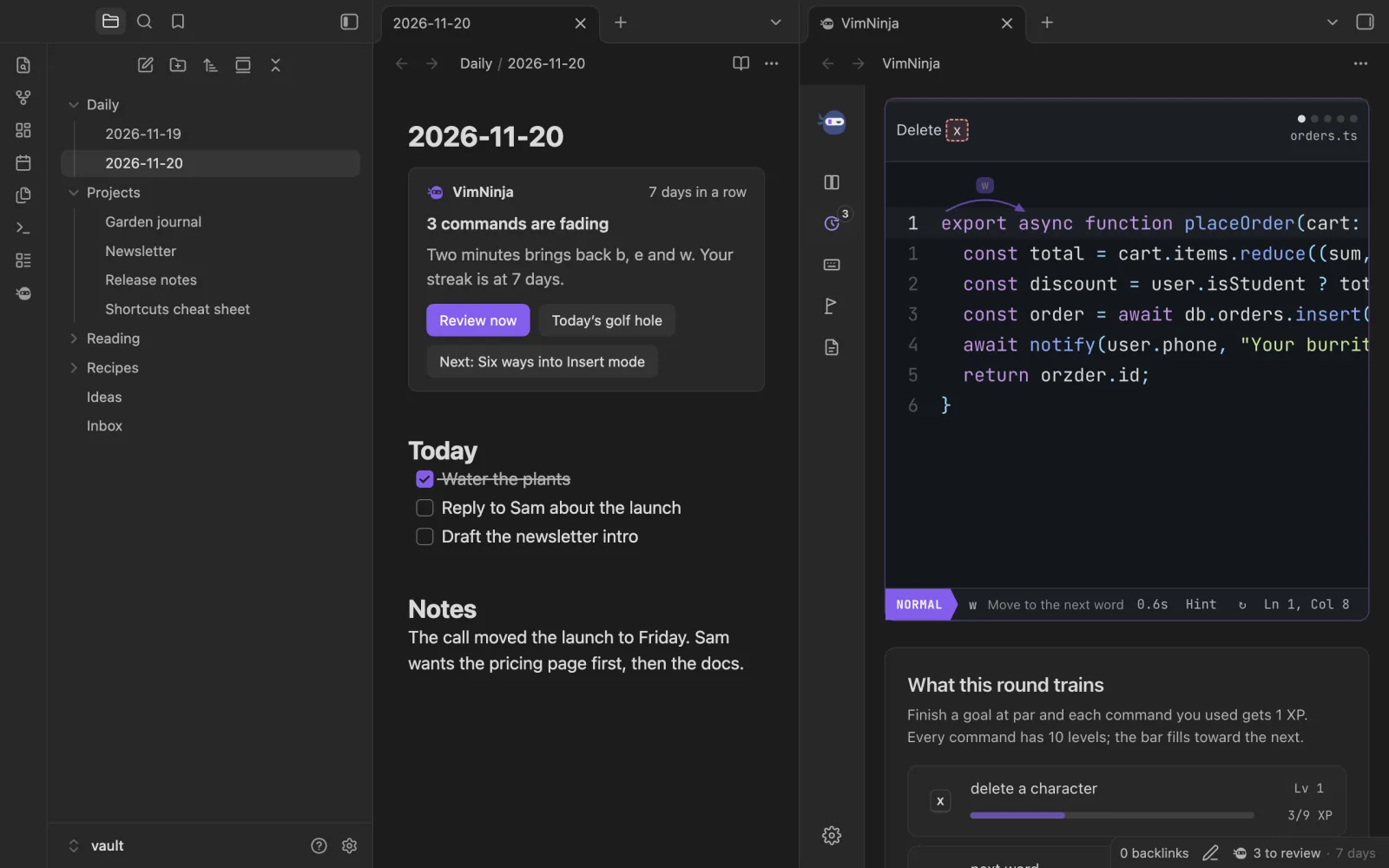
In Obsidian, Practise Vim on this note opens any note as a copy, with every key read back. Here’s a daily note to try it on now.
This editor needs a keyboard. Read on, and play it at your computer.
Real captures of the plugin, in Obsidian 1.15.
82 short lessons, from your first keystroke to macros, a few minutes each. Where Obsidian’s Vim works differently, the lesson says so.
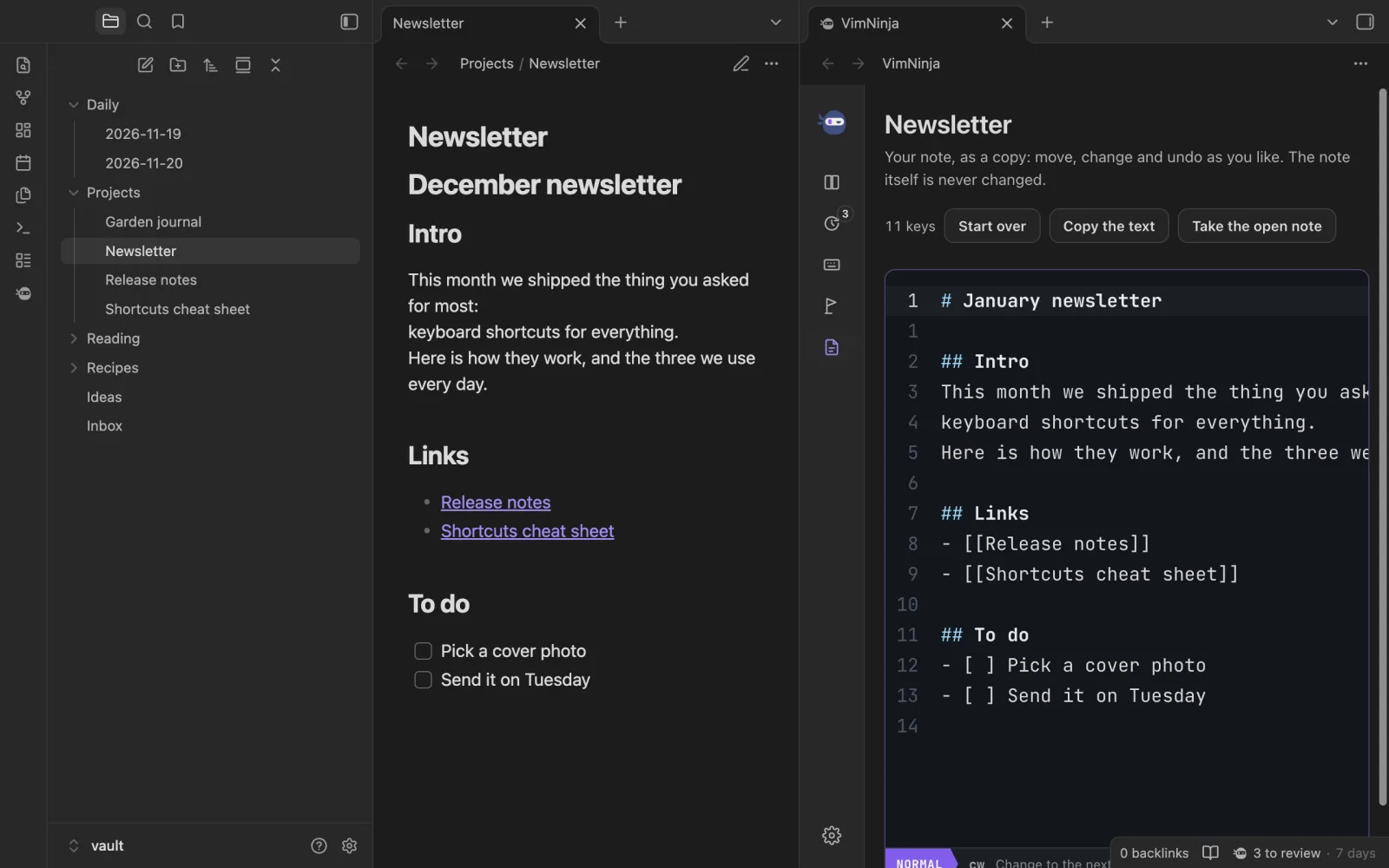
Any note, or just the lines you selected, opens as a copy. Change it, undo it, try again. The note itself never changes.
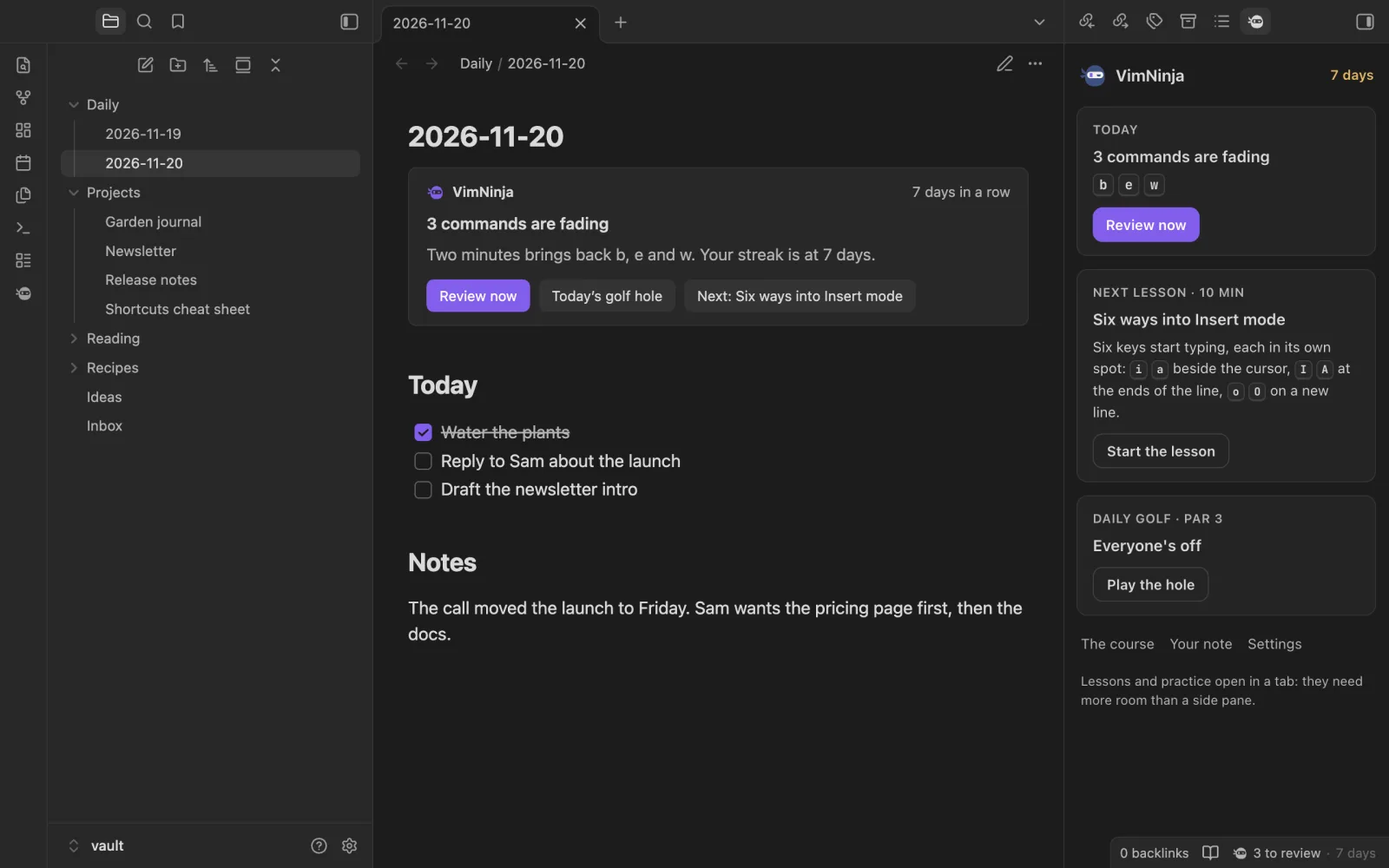
Each command comes back just as you’d start to forget it. The status bar counts what’s due; a vimninja block in your daily note and the side pane show it too.
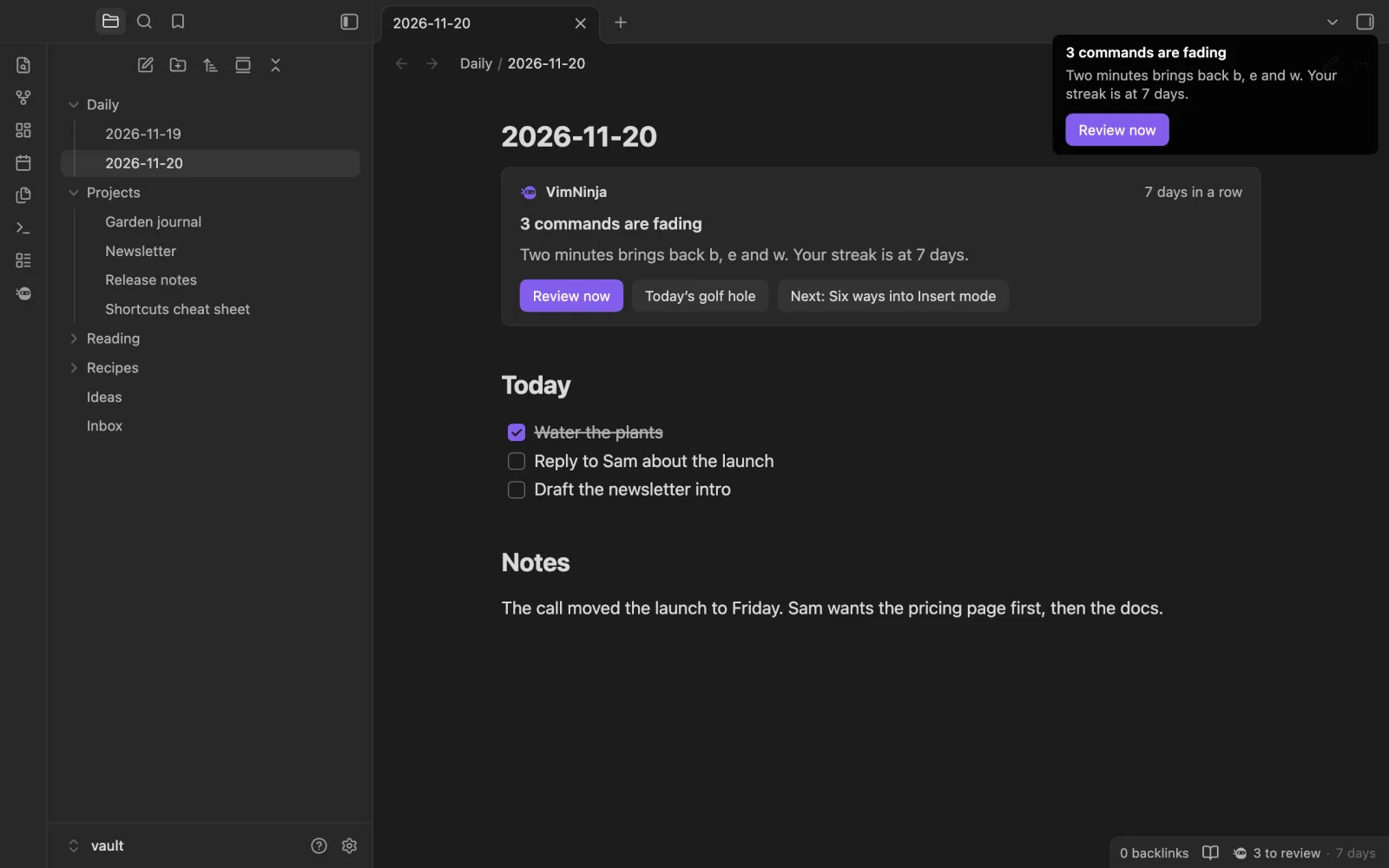
At a time you pick, or when you come back to Obsidian. At most one a day, never once today’s review is done.
Turn one on and it works in every note. Each one shows the .obsidian.vimrc line it stands for, so you learn it rather than hide it, and each comes off the moment you turn it off.
You don’t write this file: VimNinja sets the same keys in Obsidian’s Vim for you. It’s here so you know what each one is.
Your colours and your interface font, light or dark, a community theme too. Nothing to set up. The code editor keeps its own colours, as a code block does.
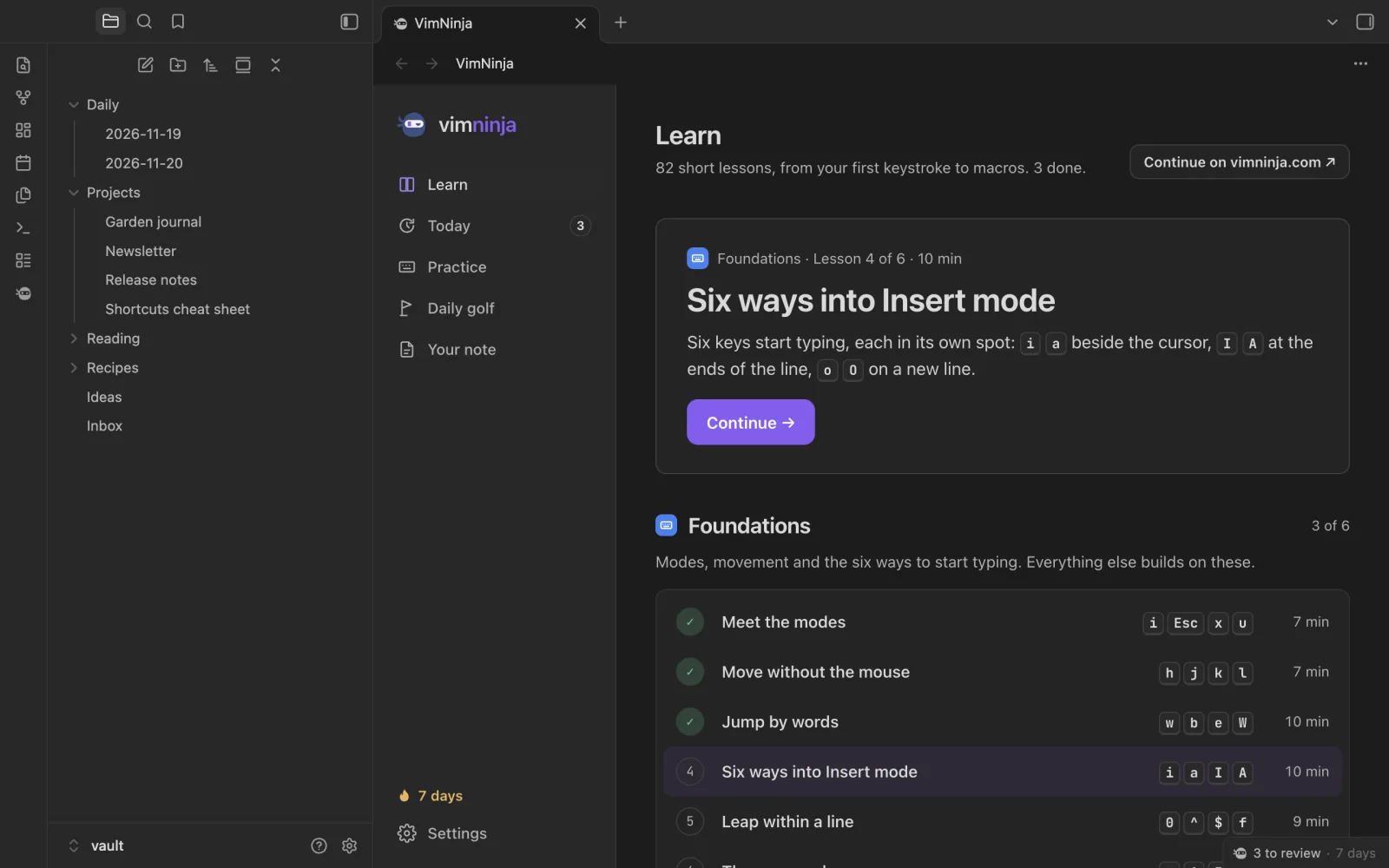
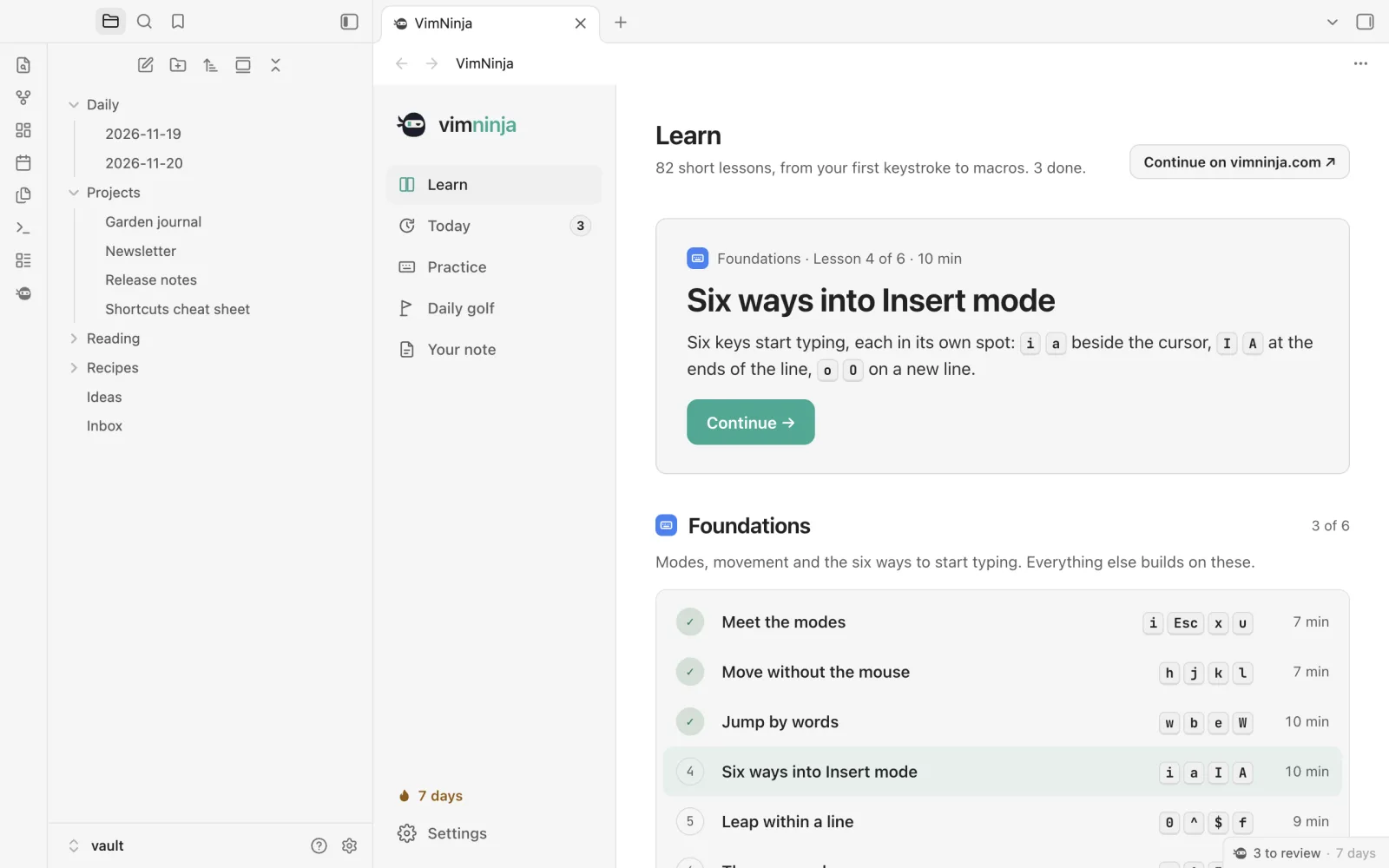
Every part of it is in Obsidian’s command palette, ready for a hotkey of your own. Type to look.
Obsidian’s Vim is CodeMirror’s copy of Vim. It does most of Vim well, and a few things its own way. The lessons note each one, and so does the plugin.
(a|b) and \b work as written; Vim’s \< \>, \v and \| don’t. A :s replacement says $1. :g, :v, :normal, :sort, macros, marks and Visual block all work. :t and :m don’t. %%. V first for the whole line. Connect the plugin to your vimninja.com account and they become one: your results and reviews sync both ways, your plan sets the reminder, and Pro opens in Obsidian too. It’s optional, and until you connect, nothing leaves Obsidian.
Connected, it sends your practice to your account (your results, your reviews, the exercises you finish) and nothing else from Obsidian: never a note, never a file’s name. The privacy policy
Something else? Ask us. We read everything.
Soon. It’s built and tested, and goes to Obsidian’s community plugins next. Start the course here now: when the plugin is out, connect it to your account and everything you’ve done comes with you.
Yes. The plugin is free, with the free lessons, the daily review, practice drills and golf. Pro, on vimninja.com, opens every lesson’s exercises and every drill, there and in the plugin once your account is connected.
Not to learn: the lessons run in VimNinja’s own Vim. To use what you learn in your notes, yes, and VimNinja’s settings turn Obsidian’s Vim key bindings on for you.
No. Your note works on a copy, and nothing is written into your vault except the plugin’s own settings. The Vim keys for Obsidian are off until you turn each one on, and come off the moment you turn it off.
Yes. Its tab takes your theme’s colours and interface font, light or dark, community themes too. You can switch to VimNinja’s own colours in its settings.
Not yet: it’s for Obsidian on a computer, where there’s a keyboard to learn Vim on. The course on vimninja.com works on a phone.
No. They do the same job in different places: the extension in your browser’s toolbar, the plugin in Obsidian. Connect both to your account and they share your progress.
No. The plugin is published as built files, its source isn’t public, and it passes Obsidian’s own review rules. What it does with your data is in its README and our privacy policy: nothing leaves Obsidian unless you connect an account.
The plugin will be free. Desktop, Obsidian 1.13 or later.